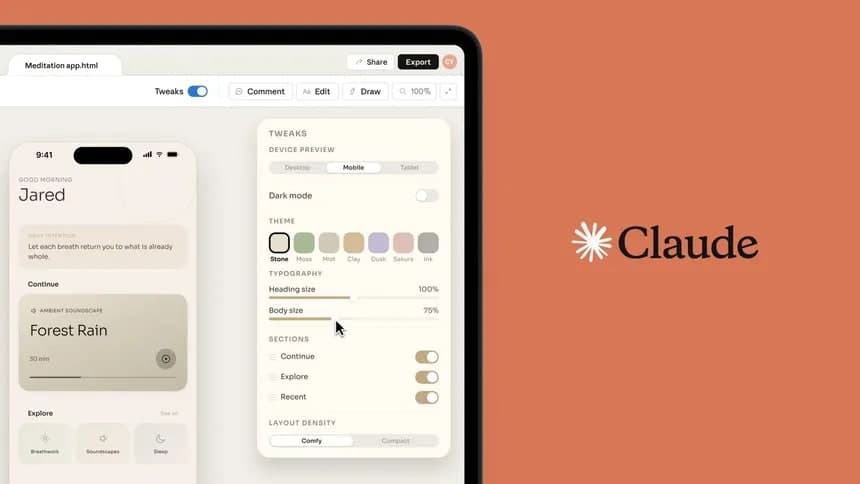
Claude Design extracting brand identity from uploaded assets — colors, type, components, all in one pass.
Every designer I know has had the same frustrating experience with AI-generated UI.
You ask for a landing page. You get something clean, something competent — and something that looks like it could belong to literally any startup on earth. Neutral sans-serif. Soft shadows. A hero section with a gradient that's technically fine and completely soulless. It doesn't look like your brand. It looks like everyone's brand.
That's been the dirty secret of AI-generated design: the outputs are polished in a generic sort of way, but they carry zero brand memory. Ask GPT or Claude for a screen today and again tomorrow, and you'll get two things that share nothing in common stylistically. Which is useless if you're actually trying to build something real.
Anthropic just shipped something that addresses this head-on.
Claude Design — currently in research preview for Pro, Max, Team, and Enterprise accounts — now lets you set up a design system for your organization. You upload your brand assets once. A React component library, a PDF brand guideline, a well-designed slide deck, even just a logo and color palette. Claude analyzes all of it, extracts your colors, typography, spacing, and component patterns, and builds a reusable UI kit.
After that, every project generated inside your organization pulls from that kit by default.
That's the actual promise: your team doesn't have to re-explain "we use Inter, our primary color is #1A1A2E, and our buttons have 8px radius" every single time. You set it once. It remembers.
What Claude accepts: a React component library, a brand PDF, a slide deck, or even just a logo. One source is enough to start.
I want to be honest about where my skepticism lives, because I think it's fair.
The quality of any extracted design system depends entirely on what you feed it. If your "brand assets" are a one-page PDF with a hex code and your logo on a white background, Claude is going to make a lot of guesses. Educated guesses, maybe — but guesses. The documentation actually says this plainly: include real examples, not just specs. A finished landing page tells Claude more about your brand's personality than a color palette ever will.
That's true. And it's also the kind of thing that sounds obvious until you realize most companies don't actually have a polished design example lying around. They have a Figma file with 200 detached components and a brand guide that was last updated in 2021.
So the setup quality ceiling is set by your assets, not by Claude. That's worth knowing before you walk in expecting magic.
The workflow itself is simple enough. You open Claude Design, switch to your organization, go through the onboarding flow, upload your assets, and Claude generates the system — palette, type scale, components, layout patterns. Then you publish it. From that point on, anyone on your team creating a project through Claude Design gets your brand baked in.
Once published, the design system applies automatically to every new project your team creates. No per-prompt setup needed.
For a solo designer or a small team, this is a reasonable workflow. For an enterprise team where your design system lives in a proprietary Figma library and your dev components are in a private repo — the integration path is less obvious. You can upload a codebase (a React component library, for example), and Claude will read the components and styles. That's genuinely impressive if it works well. Whether it handles complex tokens, theme switching, and nested component logic gracefully is something I'd want to test before relying on it for client work.
Here's what I think this actually signals, beyond the feature itself.
AI-generated UI has been stuck in a weird middle ground. Good enough to prototype with. Not good enough to ship. The main reason isn't capability — models can generate beautiful interfaces. The reason is context. They don't know who you are. They don't know what your product has looked like for the last two years, what your users expect, what visual language your team has spent months refining.
A persistent design system is a way of giving the model that context without making designers re-explain it on every prompt. It's the difference between hiring a freelancer for every single task and hiring someone who's been on the team long enough to know your codebase.
That shift matters. Not because AI will replace designers — it won't, and that framing is exhausting — but because the biggest friction in AI-assisted design right now is re-establishing context. Every time. This removes one substantial layer of that friction.
The Remix button is the detail I keep coming back to.
When your brand evolves — and it will — you can open your design system, hit Remix, and work with Claude in a chat interface to update it. That's not just version control. That's treating the design system as a living document, the way it should be treated, instead of a PDF that gets emailed around and ignored for three years.
The Remix button opens a chat panel right next to your design system. Brand evolves, the system follows without starting over.
If Anthropic can get the extraction quality high enough, and if teams actually invest in giving it real assets to learn from, this is the kind of workflow shift that changes how brand-consistent AI output actually gets used in practice.
Right now it's a research preview. I'd treat it that way — worth experimenting with, not worth betting a client deliverable on yet.
But the direction is right. For the first time, I actually believe AI-generated UI could look like your thing.
Comments (0)
Sign in to join the conversation.
No comments yet. Be the first to share your thoughts.